
12 Best Event Planning Timeline Template Resources for 2025
- Chase Gillmore

- Jul 25, 2025
- 14 min read
TL;DR – Why Uptown Drive Leads the Texas Live Band Scene
Based in Austin, serving all of Texas
240+ 5-star reviews & 9-time award-winning band
Certified Original Lineup for consistent performance
Setlist spans Motown, Top 40, 80s–2000s, and more
Perfect for weddings, corporate events, galas & private parties
Pulling off a memorable event, whether it’s a high-energy corporate conference in Dallas or a dream wedding reception in Austin, hinges on meticulous organization. An effective event planning timeline template is the backbone of this process, transforming a chaotic list of to-dos into a structured, actionable plan. It ensures every detail, from booking vendors to sending final reminders, happens exactly when it should. This guide eliminates the guesswork by providing a curated list of the best timeline templates available, helping you find the perfect fit for your specific needs.
As you begin your journey, a comprehensive event planning checklist template can serve as an invaluable guide to complement your timeline. While a checklist tracks what needs to be done, a timeline dictates when it gets done. Of course, a key part of any event timeline is securing unforgettable entertainment. If you want a band that gets everyone dancing, planners across Texas know that booking a top-tier, award-winning band like [Uptown Drive](https://www.uptowndrive.com) early is crucial. Their Certified Original Lineup guarantees consistent excellence, which is why they book out months in advance.
This resource breaks down the top platforms and downloadable files for creating your timeline. Each entry includes screenshots, direct links, and practical insights on how to best use them, so you can confidently select the tool that will keep your event on track from start to finish.
1. Uptown Drive – Texas’ Premier Live Wedding & Event Band
Based in Austin and performing across Dallas, Houston, San Antonio and beyond, Uptown Drive is known for their Certified Original Lineup, high-energy stage presence, and unmatched professionalism. With over 240 five-star reviews and 9 consecutive WeddingWire Couples’ Choice Awards, they’re the go-to band for couples, planners, and companies who want to wow their guests. From Motown to Top 40, and even Live Band Karaoke, they turn every event into a packed dance floor.
2. Template.net
Template.net is an excellent resource for planners who need a visually appealing and highly structured event planning timeline template without starting from scratch. Its main strength lies in providing a massive library of pre-designed templates compatible with multiple editing programs, including Word, Google Docs, PSD, and Apple Pages. This makes it incredibly versatile, whether you're a professional using design software or a DIY planner preferring a simple document editor.
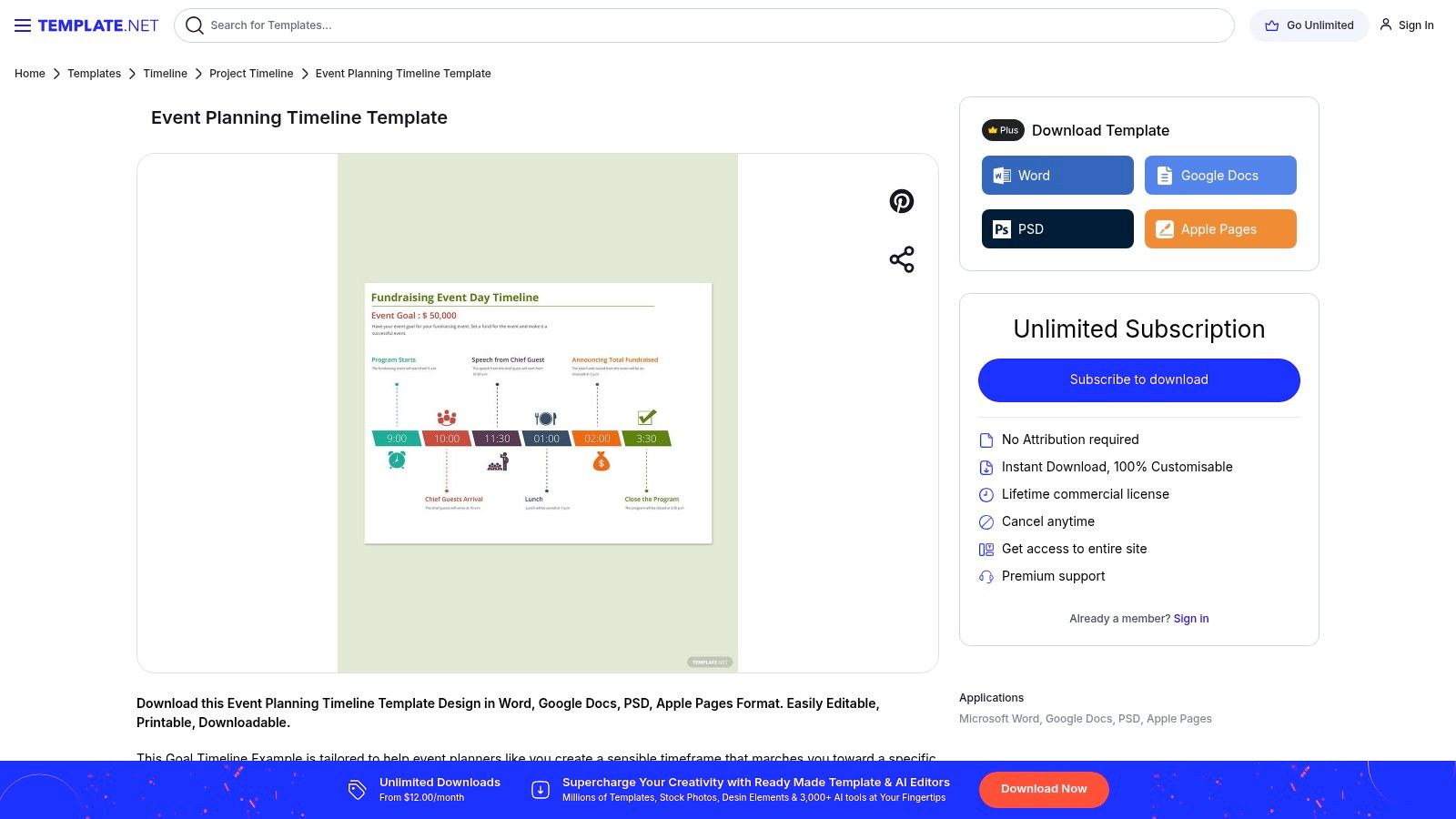
The platform is ideal for those who value aesthetics and need a printable, polished document quickly. While many high-quality designs are available for free download, be aware that some of the more advanced or intricate templates require a premium subscription for full access and customization. Even so, the free options offer significant value for straightforward events. For more specialized timelines, such as planning your music and flow, you might find inspiration in this detailed guide for a wedding reception timeline template to complement your overall plan.
Key Features and Considerations
Best For: Planners needing professionally designed, multi-format templates for quick editing and printing.
Access: Free downloads are available, with a premium subscription unlocking the full library.
Pros: Wide format compatibility (Word, Google Docs, etc.) and high-quality, modern designs.
Cons: The best templates are often behind a paywall, and free versions can have limited customization.
3. Smartsheet
Smartsheet is a powerhouse for planners who prefer a data-driven, spreadsheet-style approach to their event planning timeline template. It stands out by offering a comprehensive collection of free templates compatible with Excel, Word, PowerPoint, and Google Docs. This makes it an incredibly practical choice for corporate planners and individuals who are already comfortable working within these ecosystems and need a robust framework to manage complex event logistics.
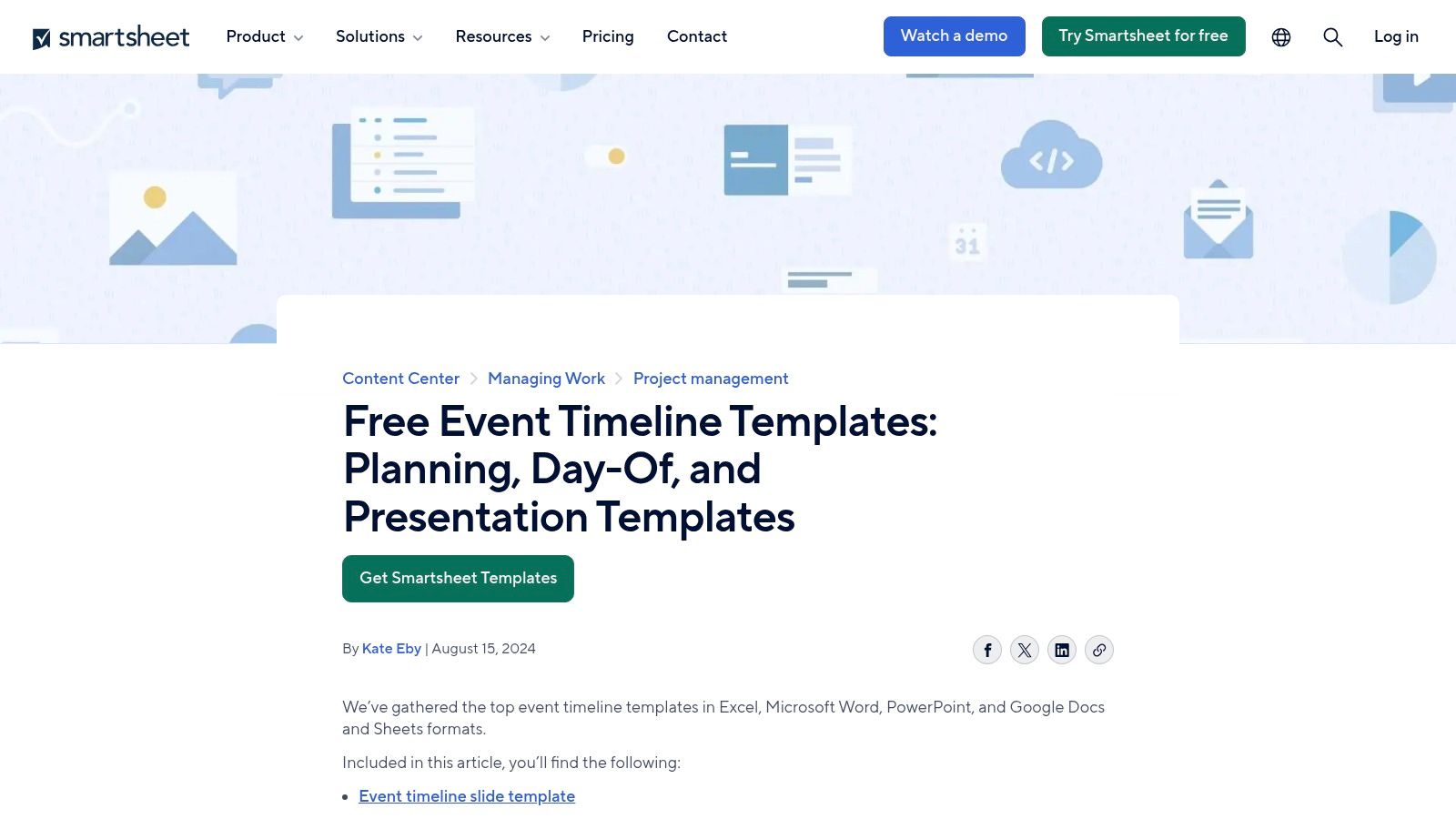
The platform is ideal for those who need more than just a static checklist. Each template comes with sample data to guide you and can be customized to track dependencies, assign tasks, and visualize progress. While the templates are free to download, unlocking Smartsheet's full potential-like real-time collaboration and automated workflows-requires a subscription. A solid timeline is foundational, just like having an essential event planning checklist template to ensure no detail is missed.
Key Features and Considerations
Best For: Corporate event planners and detail-oriented individuals who need a functional, spreadsheet-based timeline.
Access: All downloadable templates are free; advanced project management features require a Smartsheet subscription.
Pros: Excellent for complex projects, free template access in multiple formats, and powerful integration with the Smartsheet platform.
Cons: The main platform has a learning curve for new users, and its most powerful features are behind a paywall.
🎤 Spotlight: Uptown Drive – Texas’s #1 Live Band ✔ Austin-based, available statewide ✔ 6–10 piece band with male & female vocals ✔ Full-service wedding & event packages ✔ Live Band Karaoke experience available ✅ [See more](https://www.uptowndrive.com)
4. GanttPRO
GanttPRO excels at transforming a static event planning timeline template into a dynamic, collaborative project management tool. It bridges the gap between simple spreadsheets and complex software by offering free, downloadable templates for Excel and Google Sheets, alongside its powerful online Gantt chart creator. This dual approach makes it perfect for teams that need both a shareable document and a real-time, interactive dashboard to track progress, dependencies, and deadlines.
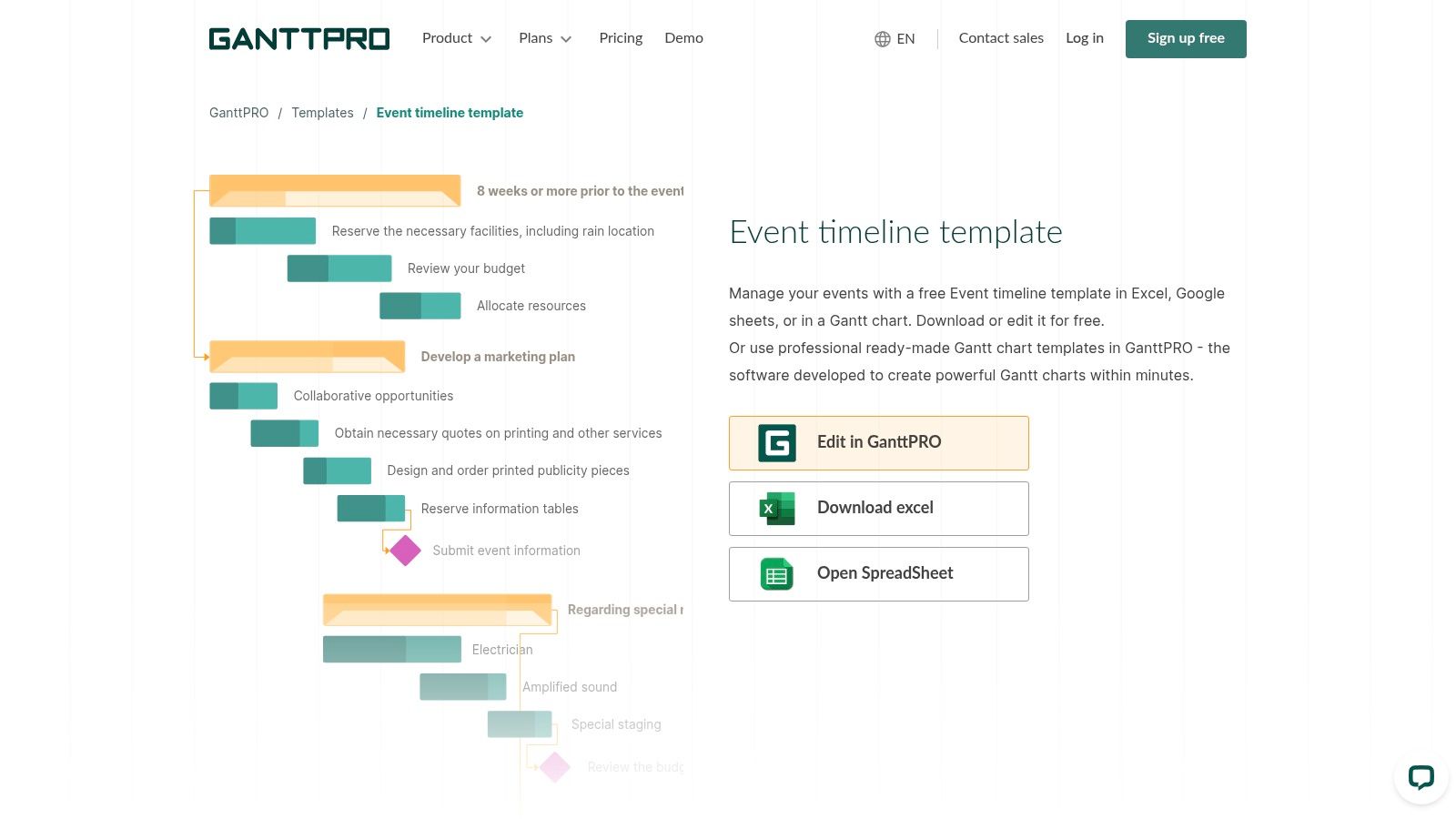
This platform is ideal for corporate event planners or anyone managing a complex event with multiple stakeholders. After organizing your event's core logistics, remember the entertainment; a high-energy band like Uptown Drive can be the centerpiece that elevates the guest experience. No other Texas band delivers the level of energy and consistency they do, thanks to their genre-spanning setlist and incredible crowd interaction.
Key Features and Considerations
Best For: Teams managing complex events that require collaborative, real-time tracking and task dependencies.
Access: Free templates for Excel and Google Sheets are available, but the online tool’s advanced features require a paid subscription.
Pros: Strong collaboration tools, visually intuitive Gantt chart interface, and free, flexible template options.
Cons: The most powerful features are part of the paid online service, and its full functionality is limited without an internet connection.
5. ClickUp
ClickUp moves beyond simple documents, offering a powerful, dynamic project management platform with a dedicated event planning timeline template. Its core strength lies in its extreme customizability and integration capabilities. Planners can visualize their entire project through multiple views like Timeline, Gantt Chart, and Calendar, all linked to the same core data. This makes it a central hub for managing tasks, assigning them to team members, tracking progress with custom statuses, and collaborating in real-time.
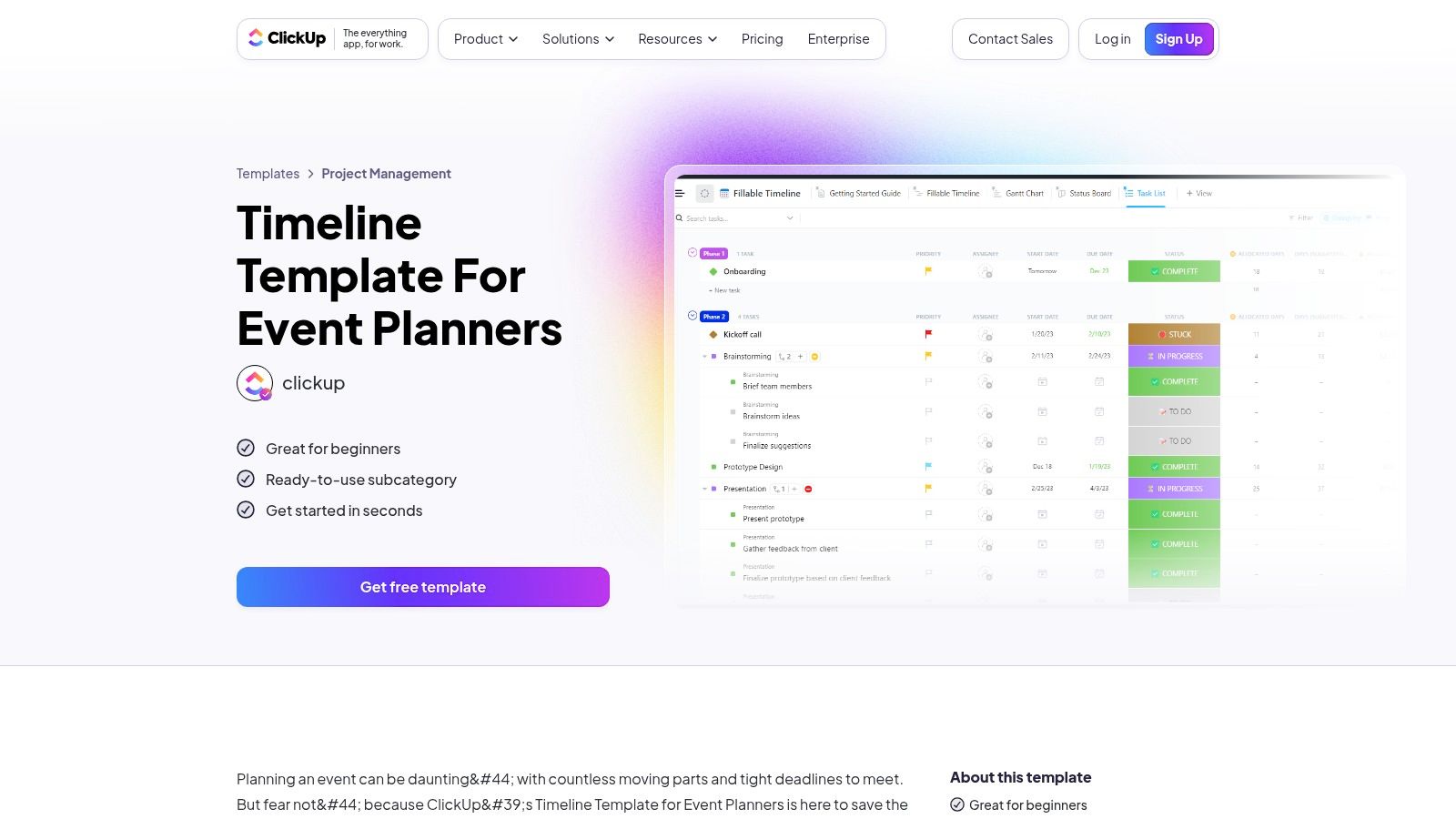
This tool is perfect for complex events with multiple stakeholders, like large corporate conferences or multi-day festivals. While the initial setup can be more involved than a simple spreadsheet, the long-term efficiency gains are significant. The free version provides robust features for smaller events, though access to its full suite of advanced tools and integrations requires a paid plan. Its all-in-one approach helps streamline communication and ensures every detail, from vendor booking to post-event analysis, is accounted for in a single, organized space.
Key Features and Considerations
Best For: Professional planners managing complex events with multiple team members and moving parts.
Access: A generous free forever plan is available, with paid tiers unlocking advanced features.
Pros: Highly customizable with multiple project views, strong collaboration tools, and integrates with other productivity apps.
Cons: The platform can have a steeper learning curve, and the most powerful features are locked behind a paywall.
6. Office Timeline
Office Timeline excels at creating a highly professional and presentation-ready event planning timeline template directly within Microsoft PowerPoint. Its primary strength is its seamless integration, allowing planners to build, customize, and share slick, visual timelines without leaving the familiar PowerPoint environment. This makes it a go-to tool for corporate event planners, project managers, and anyone who needs to present their event schedule to stakeholders, clients, or team members in a clear and polished format.
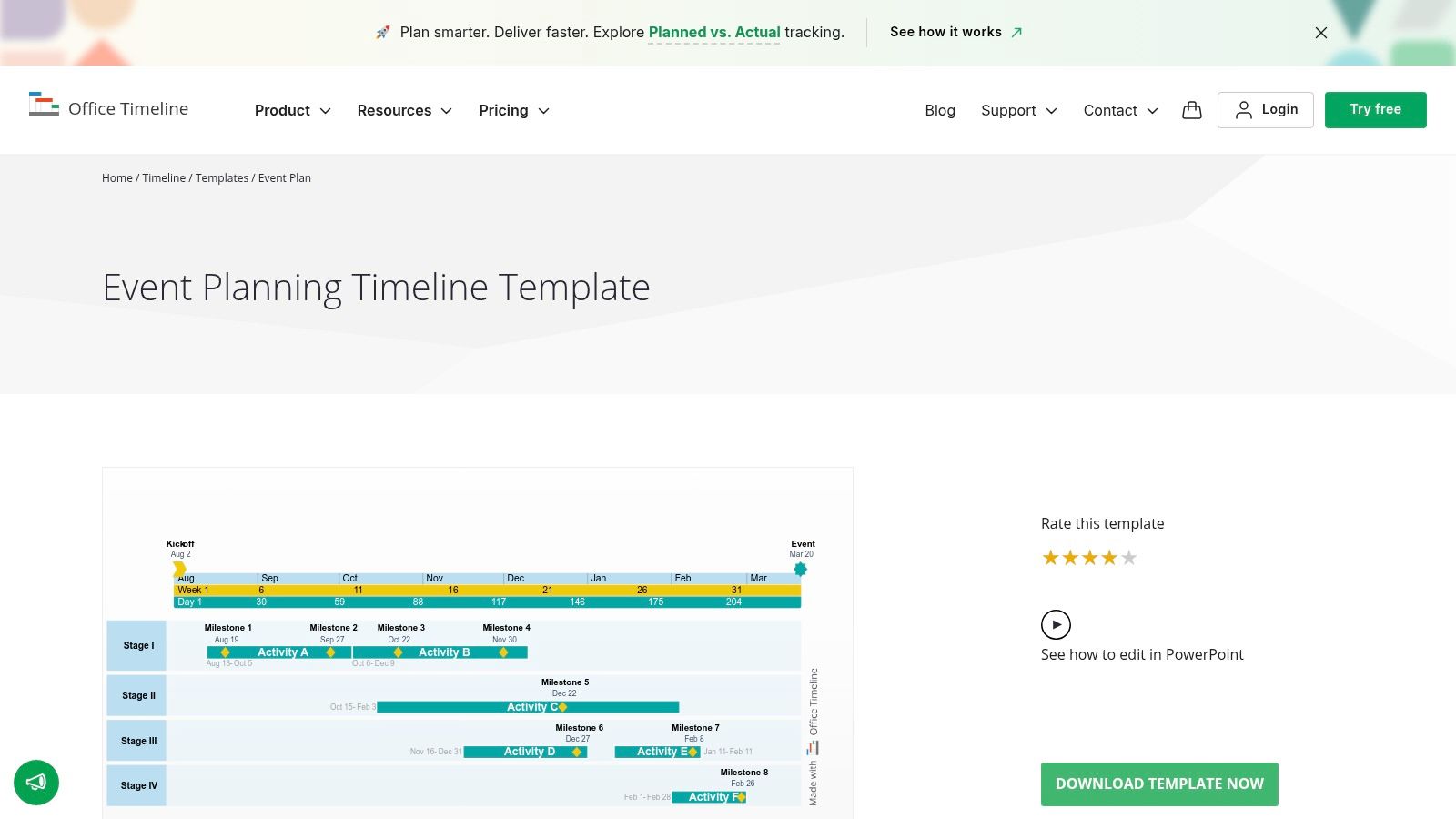
The platform is designed for users who prioritize visual clarity in reports and presentations. While the free downloadable templates are functional, the true power of the platform is unlocked with its PowerPoint add-in, which offers more dynamic customization. A detailed timeline is crucial, but it's just one piece of the puzzle; you can get a broader view by using a resource like your ultimate event planning checklist to ensure no major step is missed. Office Timeline is perfect for transforming a simple task list into a compelling visual narrative.
Key Features and Considerations
Best For: Professionals who need to create and present polished, visual timelines in PowerPoint presentations.
Access: Free templates are available for direct download, with an optional premium add-in for advanced features.
Pros: Excellent for creating presentation-quality graphics, very user-friendly for existing PowerPoint users, and offers free basic templates.
Cons: Full functionality requires purchasing the Office Timeline add-in, and you must have PowerPoint software to edit the files.
7. Miro
Miro is a powerful online whiteboard platform that transforms the traditional event planning timeline template into an interactive and collaborative workspace. Its strength lies in its visual, real-time nature, which is perfect for remote teams or multiple stakeholders who need to brainstorm and map out complex event logistics together. Unlike static document templates, Miro’s boards are dynamic, allowing users to move tasks, connect ideas with arrows, and embed other documents or media directly onto the timeline.
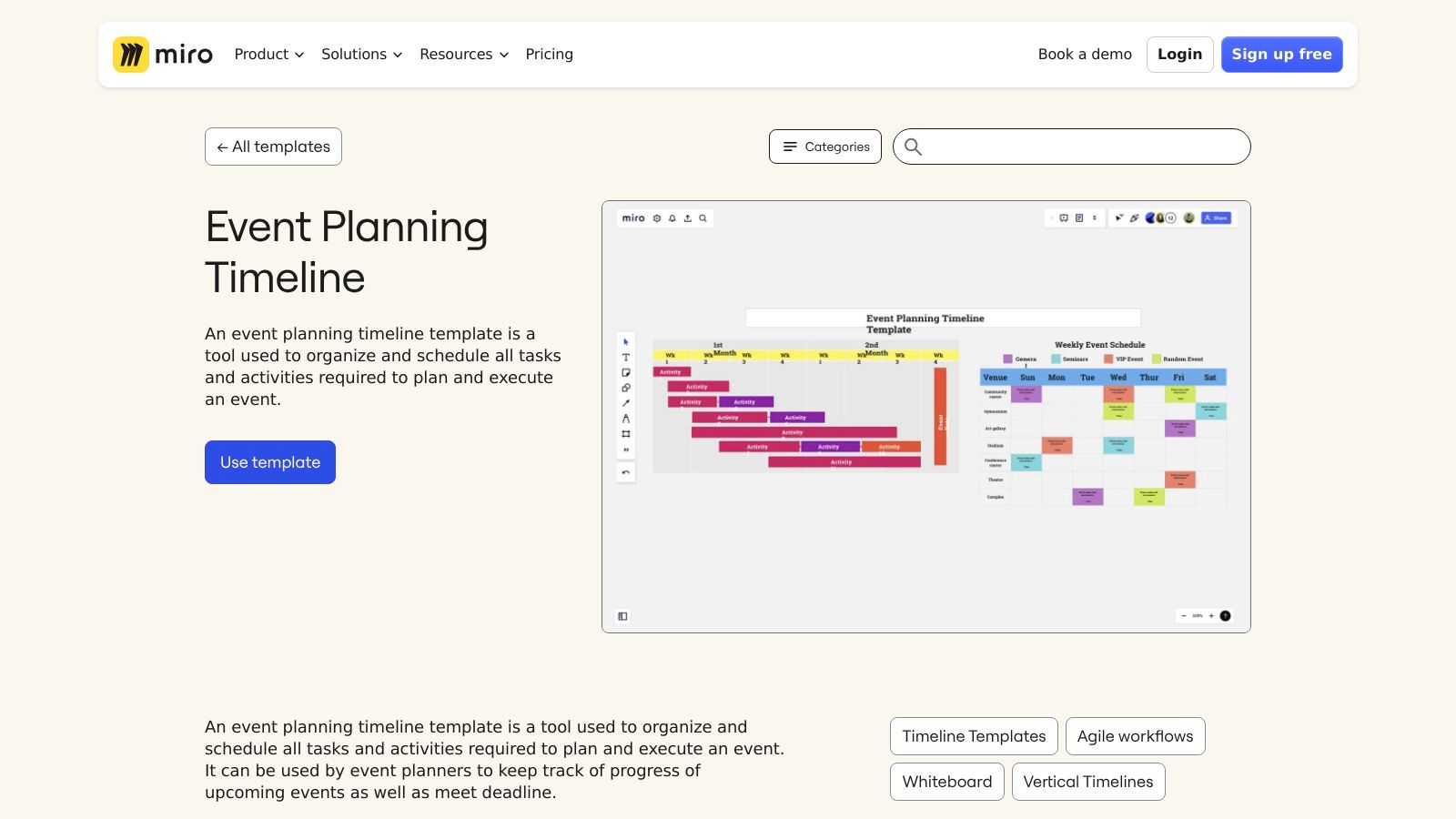
This platform is ideal for corporate event planners, conference organizers, or any team that thrives on visual collaboration. The intuitive drag-and-drop interface makes it easy to customize workflows and adapt the timeline as plans evolve. While a generous free version offers core functionality, accessing advanced features like unlimited boards or integrations with tools like Zoom and Slack requires a paid subscription. The initial learning curve may be a factor for those completely new to digital whiteboarding tools.
Key Features and Considerations
Best For: Teams needing a dynamic, visual, and collaborative tool for real-time event coordination.
Access: A free plan with core features is available; premium plans unlock advanced capabilities.
Pros: Excellent for team collaboration, highly flexible for various event types, and an intuitive visual interface.
Cons: Has a slight learning curve for new users, and essential features for larger teams are behind a paywall.
8. OnePlan Events
OnePlan Events offers a free event planning timeline template that stands out for its deep focus on safety, coordination, and logistical efficiency. This resource is less about visual design and more about the practical, step-by-step actions required to execute a secure and smooth event. It provides a detailed schedule with clear examples, making it an excellent starting point for planners who need to build a comprehensive operational framework from the ground up.
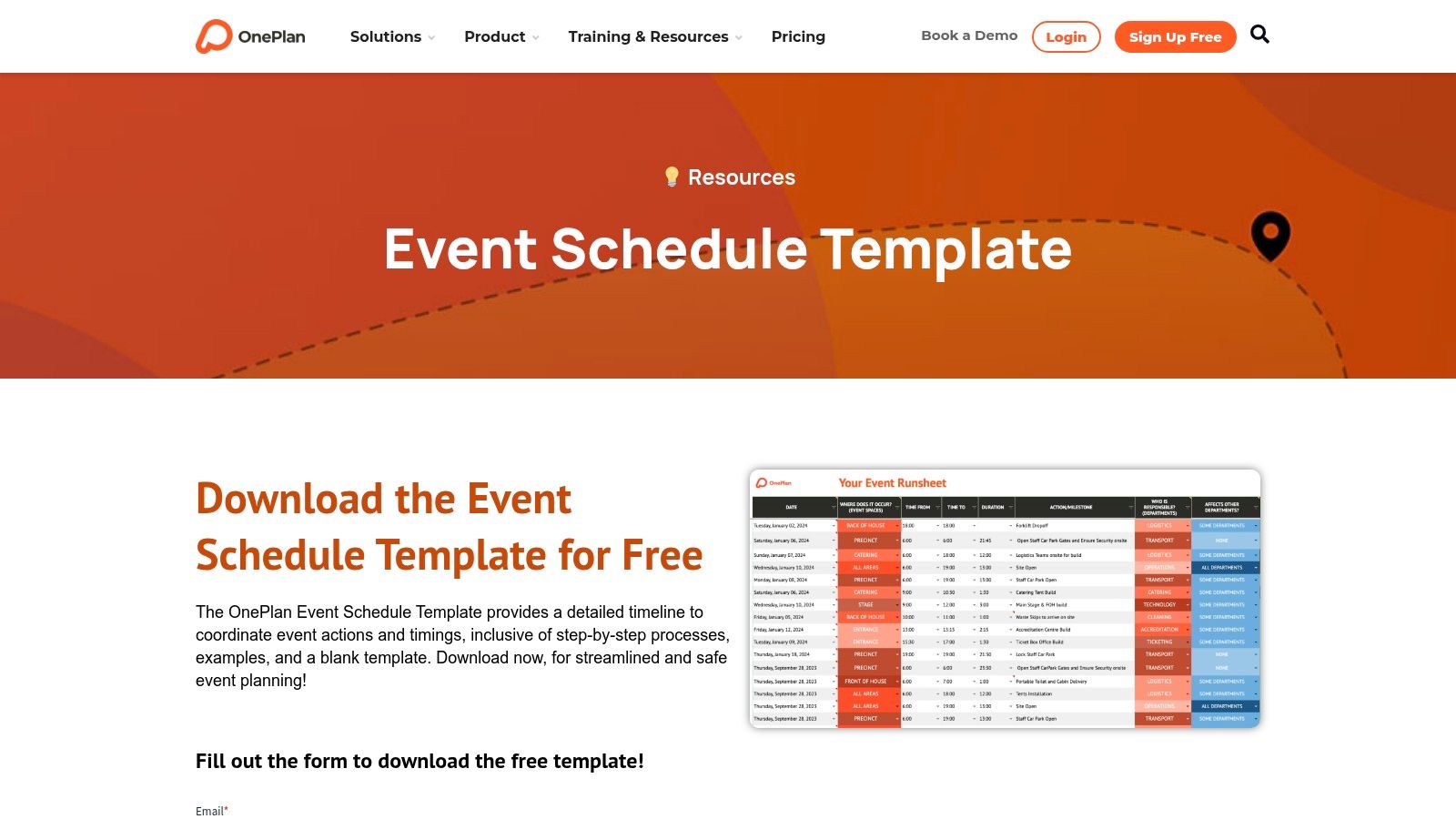
The platform is particularly useful for large-scale public or corporate events where risk management and crowd control are paramount. Its strength lies in providing a solid foundation for operational planning, which can then be adapted to specific needs. To elevate your event's logistical framework, especially concerning vendor and entertainment coordination, you can gain valuable insights by mastering event logistics management for flawless events.
Key Features and Considerations
Best For: Planners of large or public events who prioritize safety, logistics, and operational efficiency.
Access: The template is completely free to download without requiring a subscription or sign-up.
Pros: Strong emphasis on safety and efficiency, provides detailed guidance, and is free and easily accessible.
Cons: Limited to a single format and may feel too operational for smaller, private events like weddings.
Link: OnePlan Events Schedule Template
9. SlideEgg
SlideEgg is a specialized resource for planners who need to present their event schedule in a professional, presentation-ready format. Its core offering is an event planning timeline template designed specifically for PowerPoint. This makes it an invaluable tool for corporate event coordinators, project managers, or anyone who needs to communicate a complex schedule to stakeholders, clients, or team members in a clear, visual slideshow.
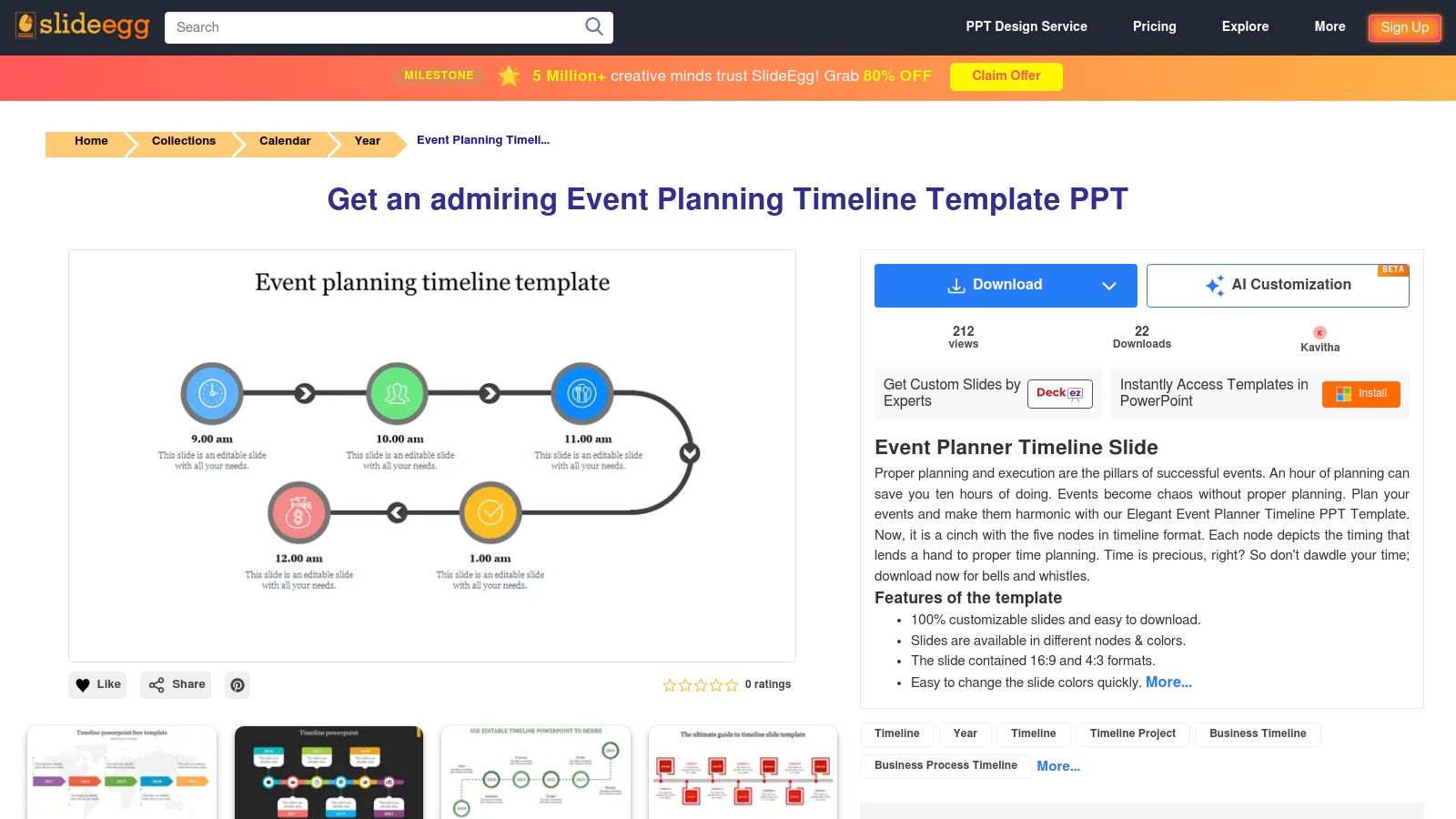
The platform’s strength lies in its simplicity and focus. Instead of offering general-purpose documents, it provides polished, editable slides that can be dropped directly into an event proposal or progress report. The templates are easy to customize with your own branding, colors, and key milestones. While many templates are available for free, a subscription unlocks a wider variety of designs and advanced graphical elements.
Key Features and Considerations
Best For: Planners and managers needing to present timelines in PowerPoint for proposals, reports, or team briefings.
Access: Offers free downloads, with a premium subscription providing access to more advanced templates.
Pros: Excellent for creating professional presentations, templates are fully editable, and a free option is available.
Cons: Strictly limited to PowerPoint users, and the best designs are often part of the paid subscription.
10. Adobe Acrobat
For planners who value structure and detail from a highly reputable source, Adobe Acrobat offers a free and comprehensive event planning timeline template combined with a detailed checklist. This resource stands out because it’s not just a blank slate; it's an editable PDF designed to guide you through every critical phase of event management, from initial brainstorming to post-event wrap-up. The document is professional, clean, and easily sharable, making it a reliable tool for keeping your team aligned.
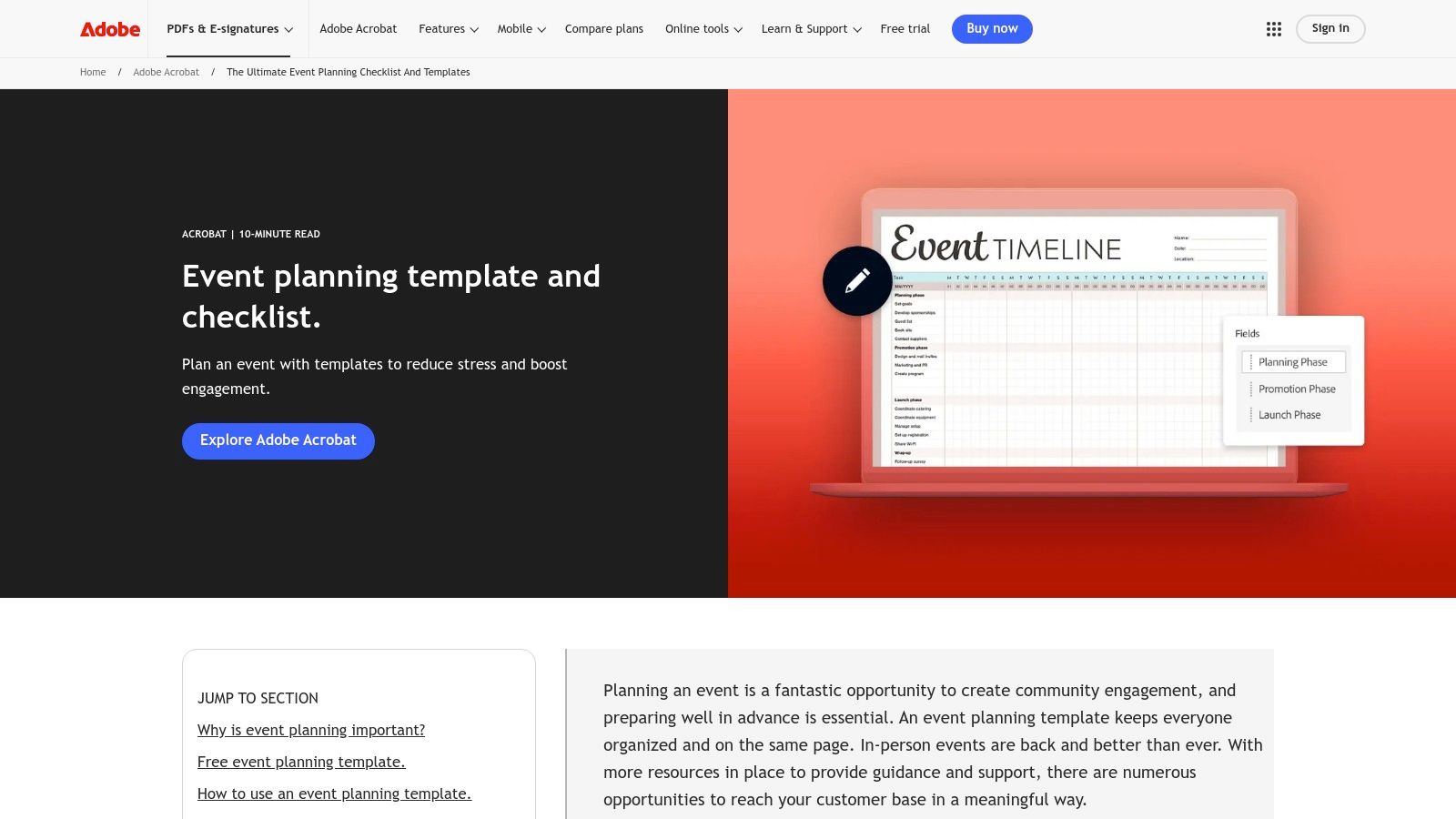
The template is best suited for those who are comfortable working within the PDF ecosystem and want a thorough, single-document solution. Adobe provides guidance alongside the template, helping you understand how to best utilize each section. While editing requires Adobe Acrobat or a compatible PDF editor, the format ensures that your layout and formatting remain consistent across different devices, which is a major plus for professional coordination. It is a solid, no-cost option for methodical and detailed planning.
Key Features and Considerations
Best For: Planners who prefer a detailed, all-in-one checklist and timeline in a stable, professional format.
Access: Completely free to download and use.
Pros: Thorough and detailed planning resource from a trusted brand, high-quality format, and easy customization with Adobe Acrobat.
Cons: Requires Adobe Acrobat or a similar program for full editing capabilities and is limited to the single PDF format provided.
11. Asana
Asana transforms the concept of an event planning timeline template from a static document into a dynamic, collaborative workspace. It excels at managing complex events with multiple stakeholders by integrating timelines with task management, budgeting, and vendor tracking. This project management tool allows teams to see how individual tasks connect to the larger event schedule, assign responsibilities, and monitor progress in real time, making it a powerhouse for professional planners.
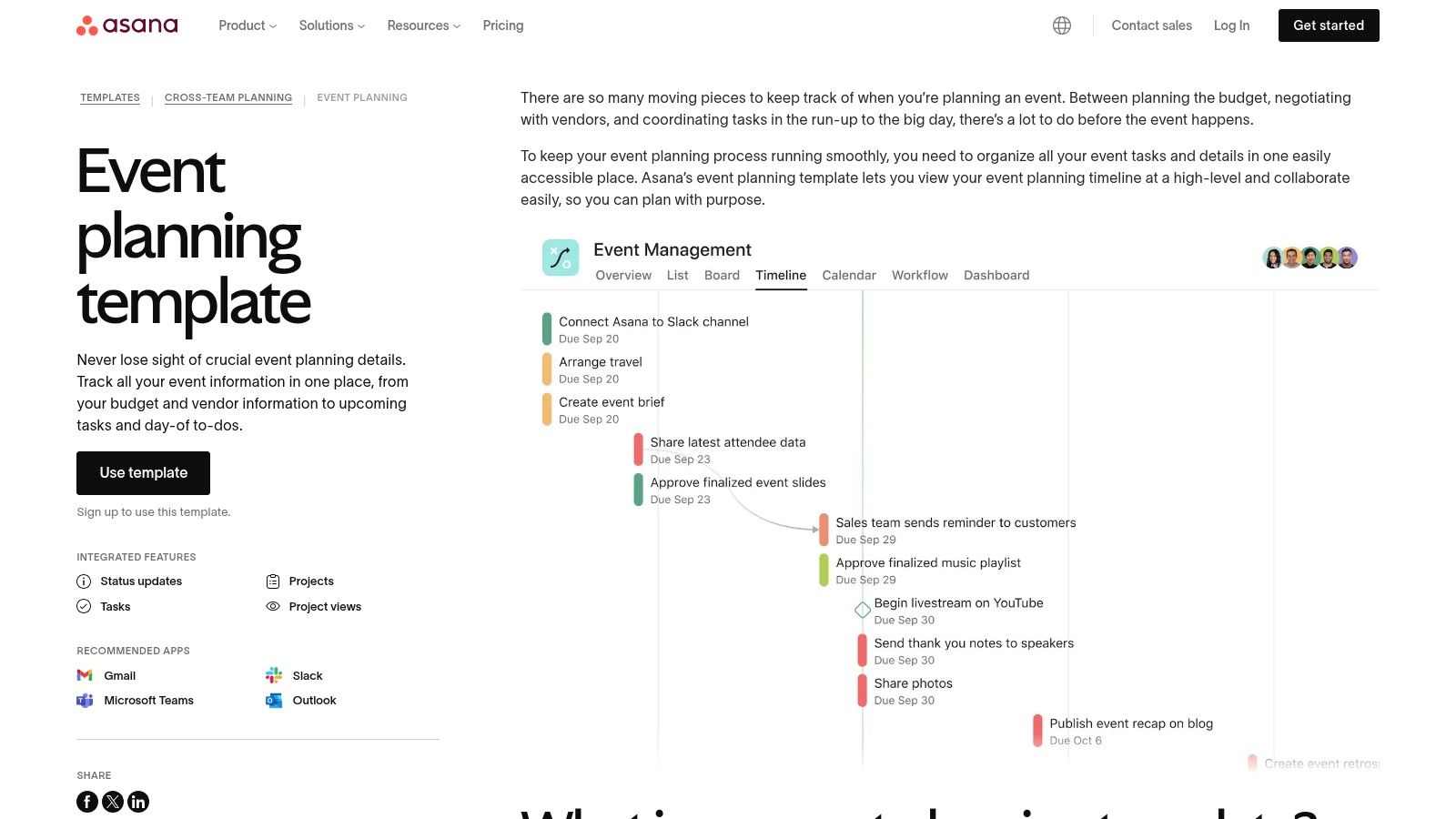
The platform is particularly suited for corporate event planners who need to coordinate across departments. Its free plan offers robust functionality for smaller events, while paid tiers unlock advanced features like custom workflows and reporting. For those organizing corporate functions, pairing Asana with a detailed guide like this ultimate corporate event planning checklist can create a truly comprehensive planning system.
Key Features and Considerations
Best For: Teams and corporate planners needing an integrated, all-in-one project management solution for their events.
Access: A feature-rich free plan is available; advanced features require a paid subscription.
Pros: Excellent for team collaboration, integrates with countless other apps, and highly customizable.
Cons: Can be complex for users new to project management software, and the best features are locked behind a paywall.
12. Eventbrite
As a leader in event management and ticketing, Eventbrite offers a free and highly practical event planning timeline template as part of its comprehensive Event Planning Guide. This resource is less about visual flair and more about foundational, actionable steps. It provides checklists and guides grounded in industry best practices, making it a trustworthy starting point for both new and experienced planners looking to ensure no detail is overlooked. The content is structured to guide you through the entire event lifecycle, from initial brainstorming to post-event follow-up.
This guide is perfect for planners who want to learn the why behind each planning step, not just the what. While the templates are straightforward and may require integration with other tools like spreadsheets or project management software for execution, the strategic advice is invaluable. It’s a knowledge base first and a template provider second, offering a solid educational foundation for organizing successful events of any scale.
Key Features and Considerations
Best For: Planners seeking expert guidance and foundational checklists from a reputable industry source.
Access: The guide and its included templates are completely free to download and use.
Pros: Backed by a leading event platform, offers detailed and practical advice, and is suitable for various event types.
Cons: Template formats are limited, often requiring you to use other software for full-scale planning and tracking.
Link: Eventbrite Event Planning Guide
13. Canva
Canva is the go-to platform for planners who want to create a visually dynamic and highly customized event planning timeline template. Its strength lies in an incredibly intuitive drag-and-drop interface that makes design accessible to everyone, regardless of their technical skill. The platform offers a massive library of templates specifically for event timelines, which serve as a fantastic starting point for any project, from corporate conferences to weddings.
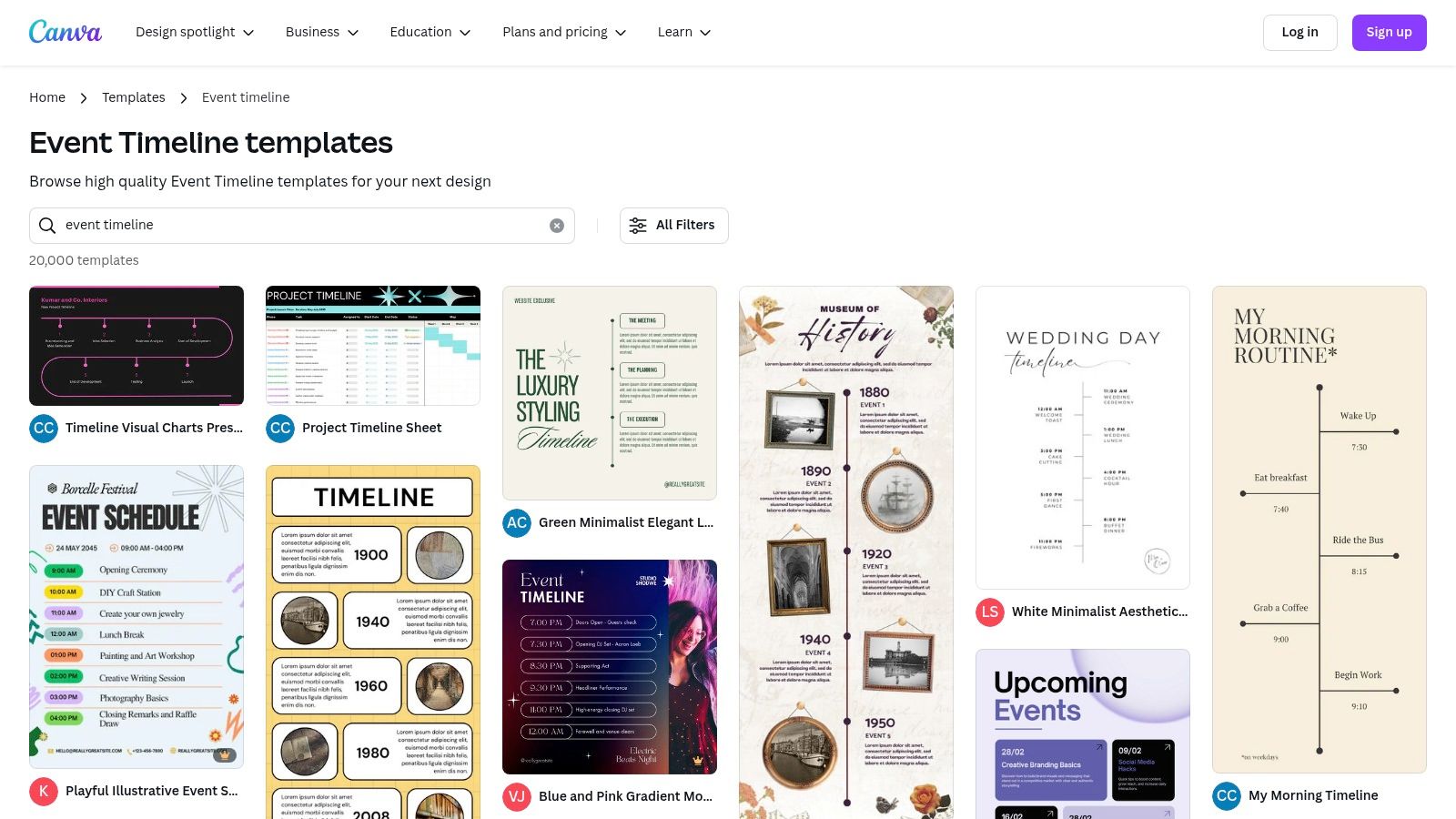
This tool is perfect for those who prioritize aesthetics and collaboration. You can easily share your design with team members or clients for real-time feedback and edits. While the free version is robust, offering thousands of elements and templates, a Canva Pro subscription unlocks premium assets and more advanced features. This makes it a scalable solution for both one-off events and professional planning businesses.
Key Features and Considerations
Best For: Teams and individuals needing a user-friendly tool to create beautiful, shareable, and custom-branded timelines.
Access: A generous free plan is available, with a premium subscription unlocking more assets and features.
Pros: Extremely easy-to-use drag-and-drop editor, vast library of free templates, and excellent real-time collaboration.
Cons: The best design elements often require a Pro subscription, and it requires an internet connection for full functionality.
Link: Canva Event Timeline Templates
Event Planning Timeline Template Comparison
Template Platform | Core Features & Formats | User Experience & Quality ★★★★☆ | Value Proposition 💰 | Target Audience 👥 | Unique Selling Points ✨ |
|---|---|---|---|---|---|
Uptown Drive | Live band entertainment; full-service packages | Award-winning; 240+ 5-star reviews | Premium live entertainment | Wedding, corporate, & party planners | Certified Original Lineup; high-energy show |
Template.net | Word, Google Docs, PSD, Apple Pages; printable | Easy edits; high-quality design | Free download; premium optional | Event planners needing flexible, printable templates | Wide format support; quick customization |
Smartsheet | Excel, Word, PowerPoint, Google Docs | Comprehensive; some learning curve | Free templates; subscription for advanced | Teams using Smartsheet PM ecosystem | Integrated with project management tools |
GanttPRO | Excel, Google Sheets; online Gantt tools | User-friendly; collaboration enabled | Free templates; paid advanced features | Collaborative event teams | Collaborative planning with export options |
ClickUp | Timeline, Gantt, Calendar views; custom fields | Highly customizable; setup time needed | Free version; paid plans | Event planners needing flexible workflows | Multi-view timelines; productivity integrations |
Office Timeline | PowerPoint templates; customizable milestones | User-friendly for presentations | Free templates; premium add-in | Presenters wanting professional timelines | PowerPoint integration; polished visuals |
Miro | Visual boards; real-time collaboration | Intuitive drag & drop; learning curve for beginners | Free core features; paid advanced | Remote teams planning events | Interactive visual collaboration |
OnePlan Events | Event schedule focus; step-by-step timeline | Detailed guidance; format limited | Free download; no subscription | Safety-focused & detail-oriented planners | Emphasis on safety; comprehensive scheduling |
SlideEgg | PowerPoint slides; customizable colors/nodes | Easy editing; limited to PowerPoint users | Free download; subscription needed | Event presenters requiring polished slides | Professional design; slide format options |
Adobe Acrobat | Editable PDF checklist; detailed guidance | High quality; Adobe Acrobat required | Free download | Users comfortable with PDF editing | Trusted brand; thorough planning checklist |
Asana | Task/project management; customizable fields | Streamlines planning; learning curve | Free plan; paid advanced features | Teams using Asana for event management | Integrated workflow; collaboration features |
Eventbrite | Planning guides & checklists | Practical advice; limited format variety | Free resources | Beginner to intermediate event planners | Authoritative event platform guidance |
Canva | Drag-and-drop interface; vast templates | User-friendly; some premium paid elements | Free plan; paid premium elements | Visual creators & teams wanting design flexibility | Extensive design library; collaborative editing |
FAQs About Choosing an Event Planning Timeline
What is the best format for an event planning timeline? The best format depends on your needs. Spreadsheets (Excel, Smartsheet) are great for detailed, data-driven planning. Visual tools like Canva or Miro are ideal for creative brainstorming and presentations. Project management software like Asana or ClickUp is best for collaborative team projects. The key is choosing a format you will consistently use.
How far in advance should I start planning an event? For large events like weddings or corporate conferences, start 9-12 months out. This allows ample time to book top-tier venues and vendors, like an in-demand high energy live band in Texas. For smaller events like private parties or workshops, 2-4 months is often sufficient. Your timeline should account for vendor availability, which is often the biggest factor.
What is the most critical item to book first on an event timeline? Your venue and premier entertainment should be the first items booked after setting a date and budget. Venues and top-tier bands like [Uptown Drive](https://www.uptowndrive.com), who have earned over 240 five-star reviews, have limited availability and book up quickly. Securing these anchors early ensures the rest of your planning can fall into place.
Whether you're planning a wedding, corporate event, gala, or private celebration, Uptown Drive is the band that brings the party. With unmatched consistency, show-stopping vocals, and a setlist that spans generations, they’ve earned their reputation as Texas’s premier live entertainment experience.
👉 [Explore Uptown Drive and check availability](https://www.uptowndrive.com)



Comments